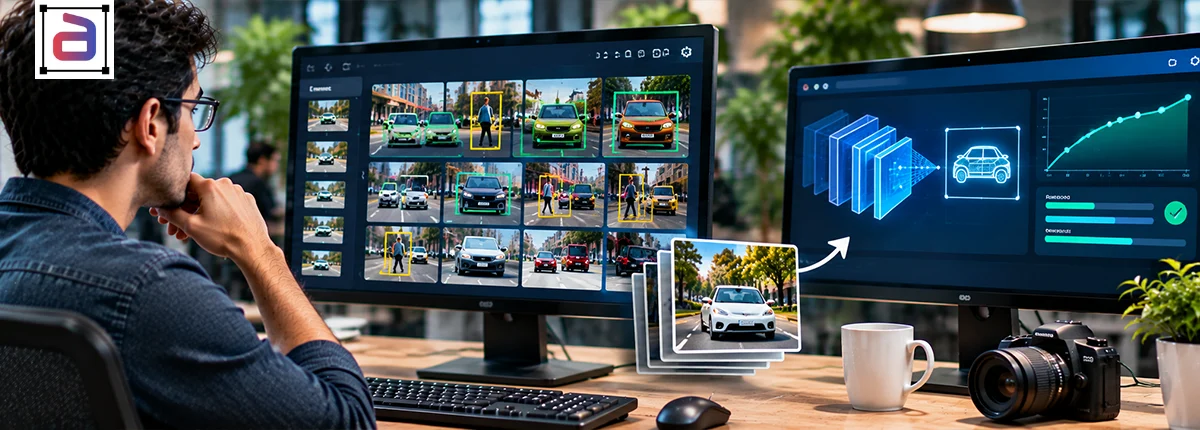

Security cameras used to record incidents for someone to review later. Today, many of them are expected to spot an intruder, a weapon or an unattended bag while it is happening. That shift depends on computer vision models, and those models only learn what their training data shows them. This guide covers the main computer vision security applications, what each one needs from annotated video, why security footage is hard to label well and how to build training data that keeps false alarms down without missing real threats.
In This Article
Key Points
- Computer vision in security systems detects people, objects and behavior in camera feeds so operators can act on real events instead of reviewing hours of footage.
- Each application, from perimeter intrusion to weapon detection, needs its own annotation: boxes and tracks, event boundaries, zones and attributes.
- Most false alarms come from conditions the training data never covered, so negatives, low light and camera angles matter as much as threats.
- Labels should describe observable behavior, not assumed intent, and biometric use cases carry specific legal limits in the EU.
What Is Computer Vision in Security?
Computer vision in security is the use of AI models that analyze camera footage to detect, track and classify people, vehicles, objects and events, so a system can raise an alert or support an operator’s decision in real time. Instead of motion triggers that fire on shadows and swaying branches, a trained model can tell a person climbing a fence from a cat crossing a yard.
The model’s ability to make that distinction comes from labeled examples. Annotators mark what is in each frame, how it moves and when an event starts and ends, across the cameras, lighting and weather the system will face. That annotated video becomes the ground truth the model is trained and tested against.
Computer Vision Security Applications
Most security deployments combine several of the applications below. Each one asks something different of the training data.
| Application | What the model does | Annotation it needs |
|---|---|---|
| Perimeter intrusion | Detects people or vehicles crossing a boundary | Person and vehicle boxes, tracks, zone polygons, crossing events |
| Weapon detection | Spots firearms and knives in hand or in view | Small-object boxes, hand-object relations, look-alike negatives such as phones and tools |
| Crowd monitoring | Estimates density and flags surges or falls | Head points or boxes, density maps, crowd events |
| Loitering and unattended objects | Flags people lingering or bags left behind | Tracks with dwell time, object-owner links, start and end of events |
| Access control and tailgating | Checks that one person passes per authorization | Door zones, person tracks, entry events by count |
| Vehicle and traffic monitoring | Tracks vehicles, wrong-way driving and incidents | Vehicle boxes and classes, lane polylines, incident events |
| Retail loss prevention | Flags concealment and missed scans | Product and hand tracks, observable action labels |
| Industrial safety | Detects missing PPE, falls and restricted-zone entry | PPE attributes, pose keypoints, zone and fall events |
Our guide to event-based video annotation for surveillance goes deeper on event taxonomies, and the post on video semantic segmentation for smart cities covers scene-level labeling.
Why Security Video Is Hard to Annotate
Security footage breaks many of the assumptions that make other video easy to label. Events are rare and short, often a few seconds inside hours of nothing. Cameras sit high and wide, so people and weapons occupy a handful of pixels. Night scenes switch to infrared, rain and glare wash out detail, and the same person can appear on three cameras with no overlap between them.
Behavior is also ambiguous. Standing still at a bus stop is normal; standing still outside a server room at 2 a.m. may not be. Without a written taxonomy that ties each label to the camera’s location, time and policy, two annotators will label the same clip differently, and the model will learn the disagreement.
How to Annotate Security Video So Models Hold Up
- Define events by what can be seen. “Person crosses fence line” can be checked; “suspicious person” cannot. Write start and end rules for every event.
- Sample the real deployment. Include every camera angle, night and infrared footage, weather and crowd levels the system will meet, not just clean daytime clips.
- Label the negatives. Animals, shadows, reflections, umbrellas and tools that look like weapons teach the model what not to alert on, which is where false alarms are won or lost.
- Set tracking rules. Decide how long an ID persists through occlusion and how identities carry across cameras, then apply the rule everywhere.
- Build an edge-case gold set. Calibrate annotators on the hardest clips before production and score every batch against it.
- Report per class and per condition. One overall accuracy figure hides weak night performance or a weapon class that is rarely right. Break quality down by class, camera and lighting.
Privacy and Regulation
What you annotate decides what a security system can watch for, so scope is a governance decision as much as a technical one. In the EU, Article 5 of the AI Act generally prohibits real-time remote biometric identification in publicly accessible spaces for law enforcement, with narrow exceptions that need prior authorization, and it bans emotion recognition in workplaces and schools except for medical or safety reasons.
For most programs, that points to a simple rule: label the behavior and objects the system needs, avoid identity labels unless the use case is lawful and documented, blur or restrict faces where they are not needed, and keep footage inside access-controlled environments for the whole project.
How Annotera Supports Security AI Programs
Annotera labels CCTV, body-camera, thermal and low-light footage for detection, tracking and event models. Every program runs to a written taxonomy agreed with your team, with an edge-case gold set, three-layer QA and per-class reporting. Work stays inside secure environments under Fusion CX’s ISO/IEC 27001:2022 and SOC 2 Type II certified controls, and you can start with a free 48-hour pilot on your own footage. See our security and surveillance annotation services for the full scope.
Frequently Asked Questions
What are the main computer vision security applications?
The most common are perimeter intrusion detection, weapon detection, crowd monitoring, loitering and unattended object detection, access control and tailgating, vehicle and traffic monitoring, retail loss prevention and industrial safety.
How is computer vision used in security systems?
Models analyze camera feeds to detect and track people, vehicles and objects, recognize defined events and send alerts to operators. They are trained on annotated video that shows each class and event across real camera conditions.
How does better annotation reduce false alarms?
False alarms usually come from conditions the model never saw labeled: animals, shadows, rain, infrared footage or objects that resemble threats. Labeling those negatives and covering every camera condition teaches the model what to ignore.
Can security footage be annotated without identifying people?
Yes. Most applications need people detected and tracked, not identified. Annotators can label boxes, tracks and behaviors with faces blurred or restricted, which also reduces privacy and regulatory risk.
Getting Started
Security AI is only as reliable as the footage it learned from. Define observable events, cover the conditions your cameras really see, label what should not trigger an alert and measure quality where it matters.
Planning a security vision program? Talk to Annotera about a pilot on your own footage.